Beta Ads 2.0: Self-Serve Live Streaming Advertising Is Here
We built a platform that lets brands book, manage, and measure live streaming ad campaigns without an agency in the loop. Here's what it does, how it works, and why it matters.
The Problem We Were Solving
Every brand we've worked with had the same gap in their media plan: live streaming. The average Nordic 18–34-year-old watches more live streaming than linear TV. But booking a campaign meant calling an agency, waiting for a proposal, haggling over rates, and hoping the reporting was accurate.
We ran that process manually for three years. We delivered results for Samsung, Surfshark, Shure, Komplett, and Høyskolen Kristiania. And we hit a ceiling. Not because the channel doesn't work - Twitch advertising, YouTube Live advertising, and Kick advertising all deliver - but because the operational layer was entirely human.
Beta Ads 2.0 is the platform we built to fix that.
What's Actually in the Platform
Dashboard: One Number That Matters
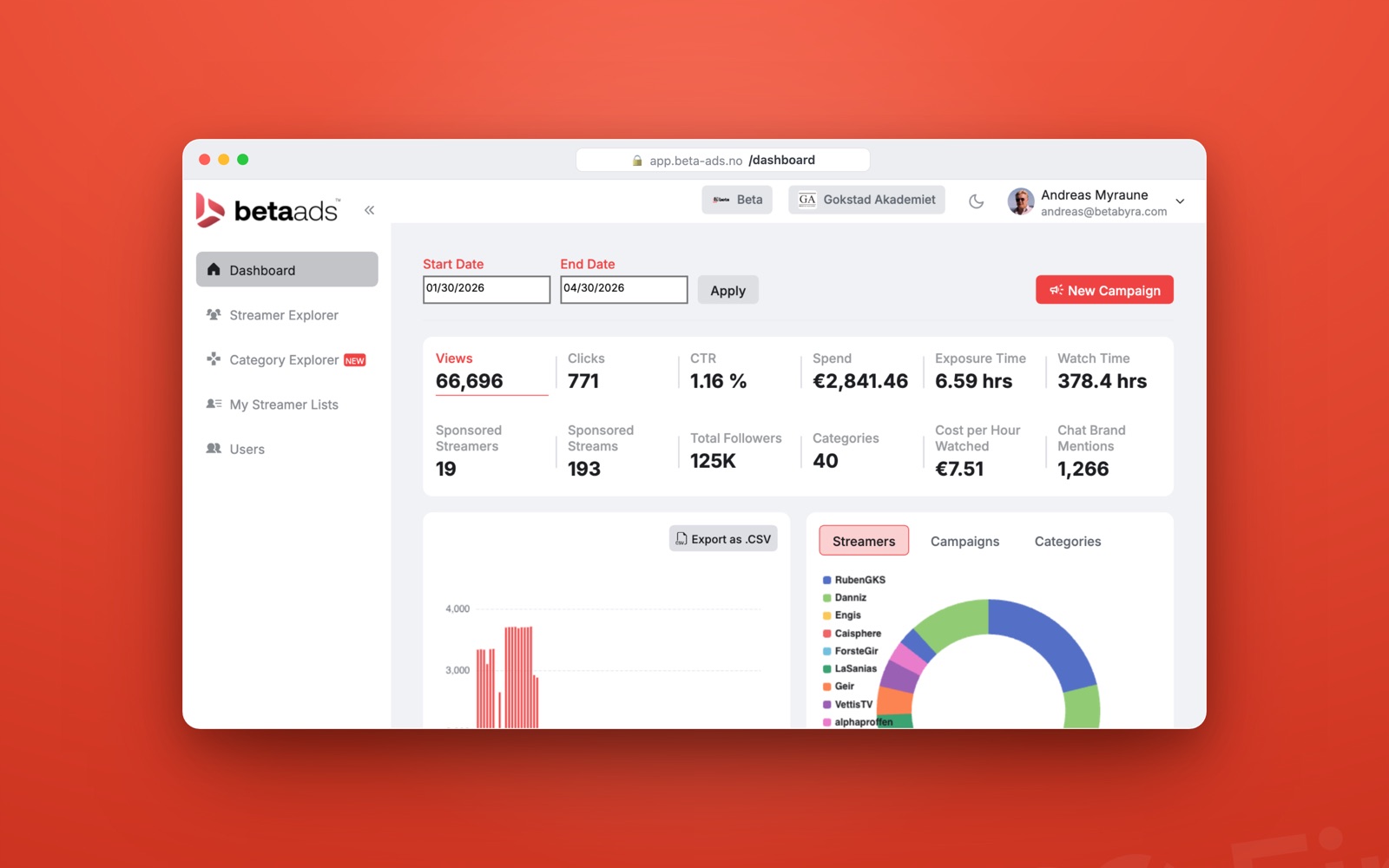
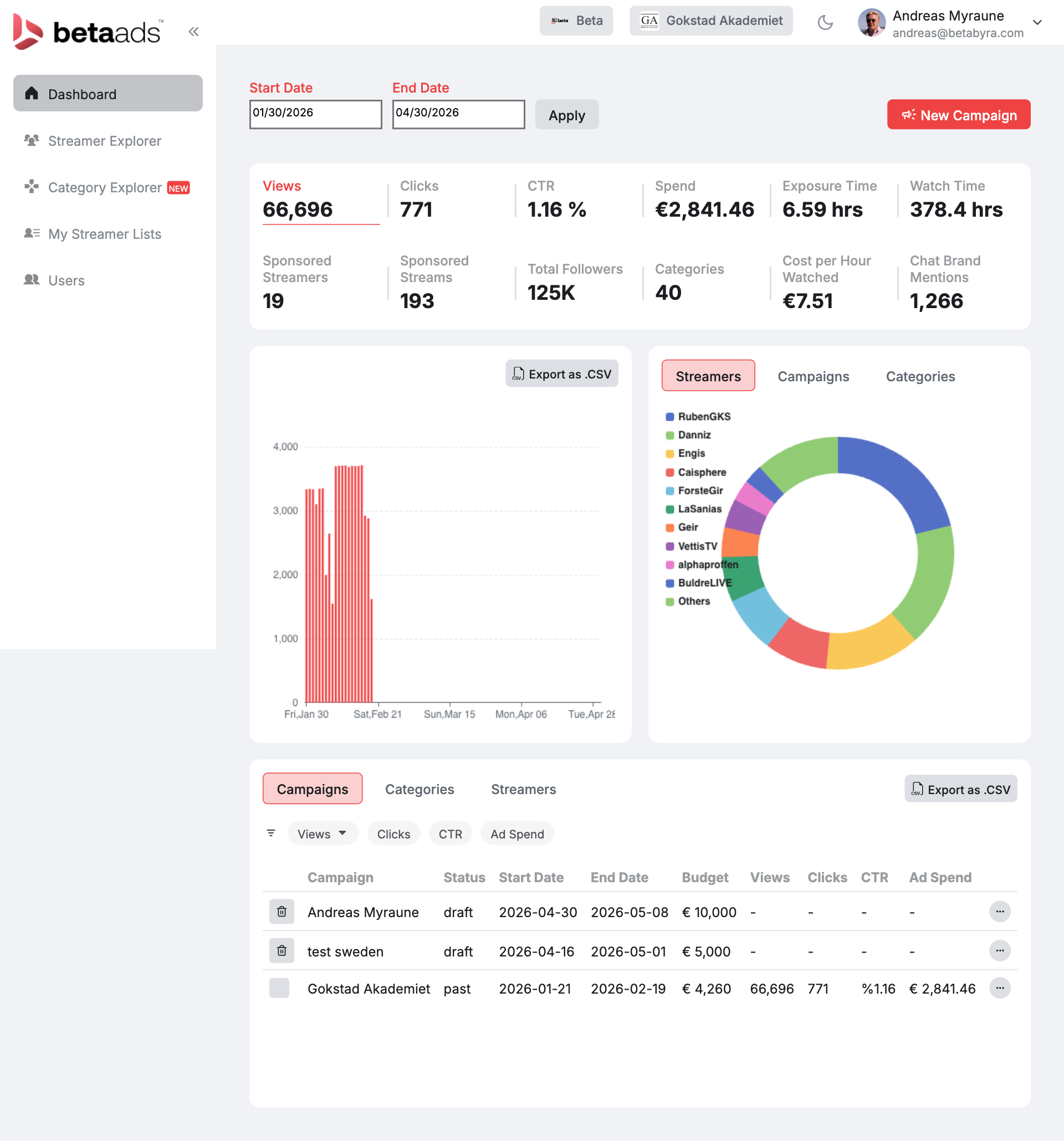
The first screen after login is a campaign dashboard built around metrics that correlate with business outcomes, not just impressions. You get views, clicks, CTR, spend, exposure time, and watch time in a single strip. Below that: sponsored streamers count, sponsored streams, total follower reach, content categories covered, cost per hour watched, and chat brand mentions.
That last one is underrated. When a streamer reads your brand message live and chat responds, that reaction gets logged. It's the closest thing to a real attention signal in digital advertising.
The charts break down daily view volume and share-of-voice by streamer and campaign, both exportable to CSV.
Streamer Explorer: 39,000 Creators, Fully Searchable
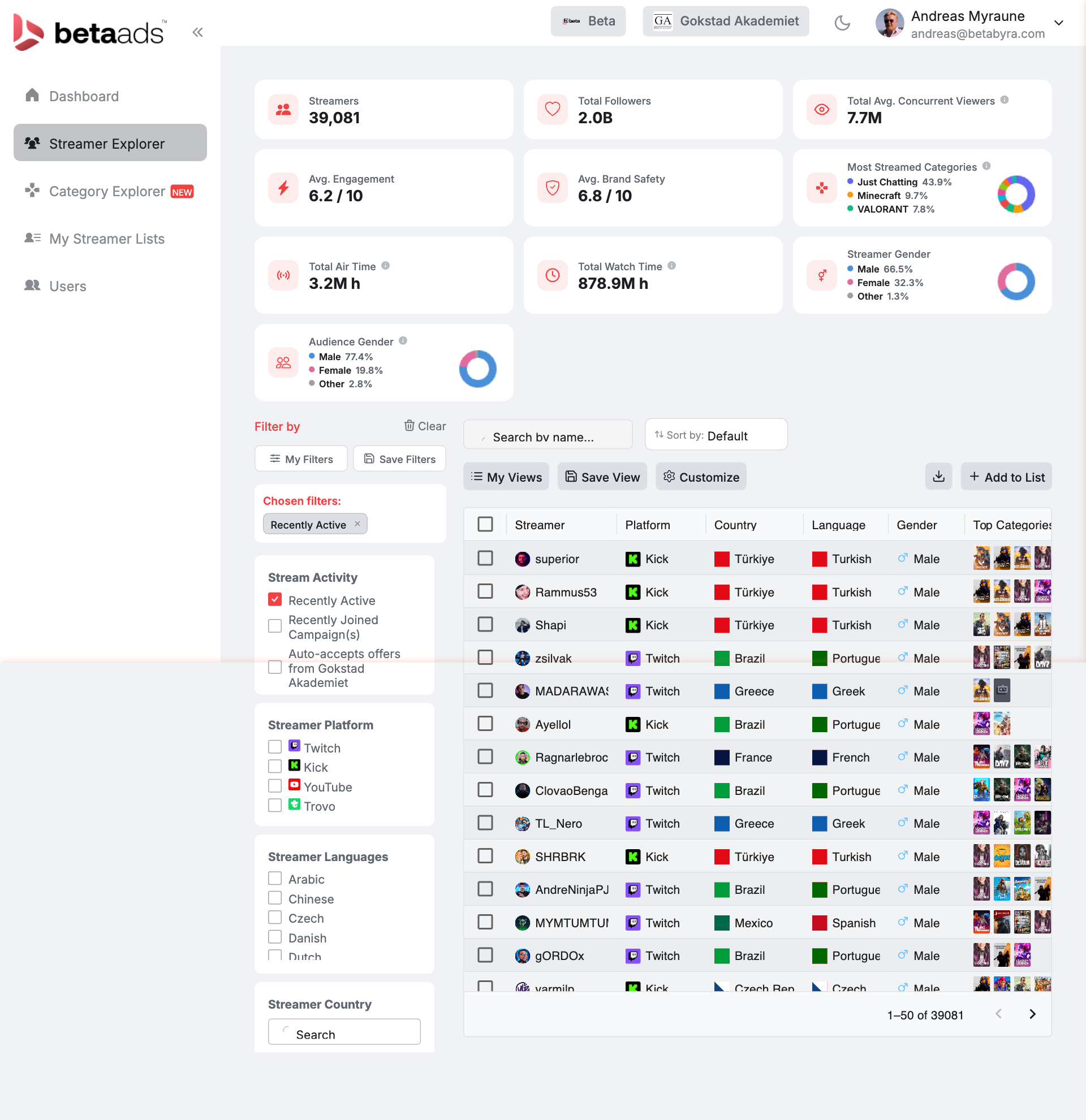
The biggest database of bookable live streamers available to European brands. As of April 2026: 39,081 streamers, 2.0 billion combined followers, and 7.7 million average concurrent viewers across the network.
Every streamer has a profile built from real streaming data: engagement score (network average: 6.2/10), brand safety score (network average: 6.8/10), audience gender split, top content categories, platform (Twitch or Kick), and country. Filter by any combination and save the result as a named list: Norway, Finland, FPS shooters, female-majority audiences, whatever the brief requires.
Brands use Streamer Explorer to build shortlists before a campaign kick-off rather than relying on us to recommend names. Faster briefs, fewer back-and-forths.
Category Explorer: Find the Audience, Not Just the Streamer
New in 2.0. Category Explorer flips the question. Instead of asking which streamers you want, it asks which content categories your target audience watches.
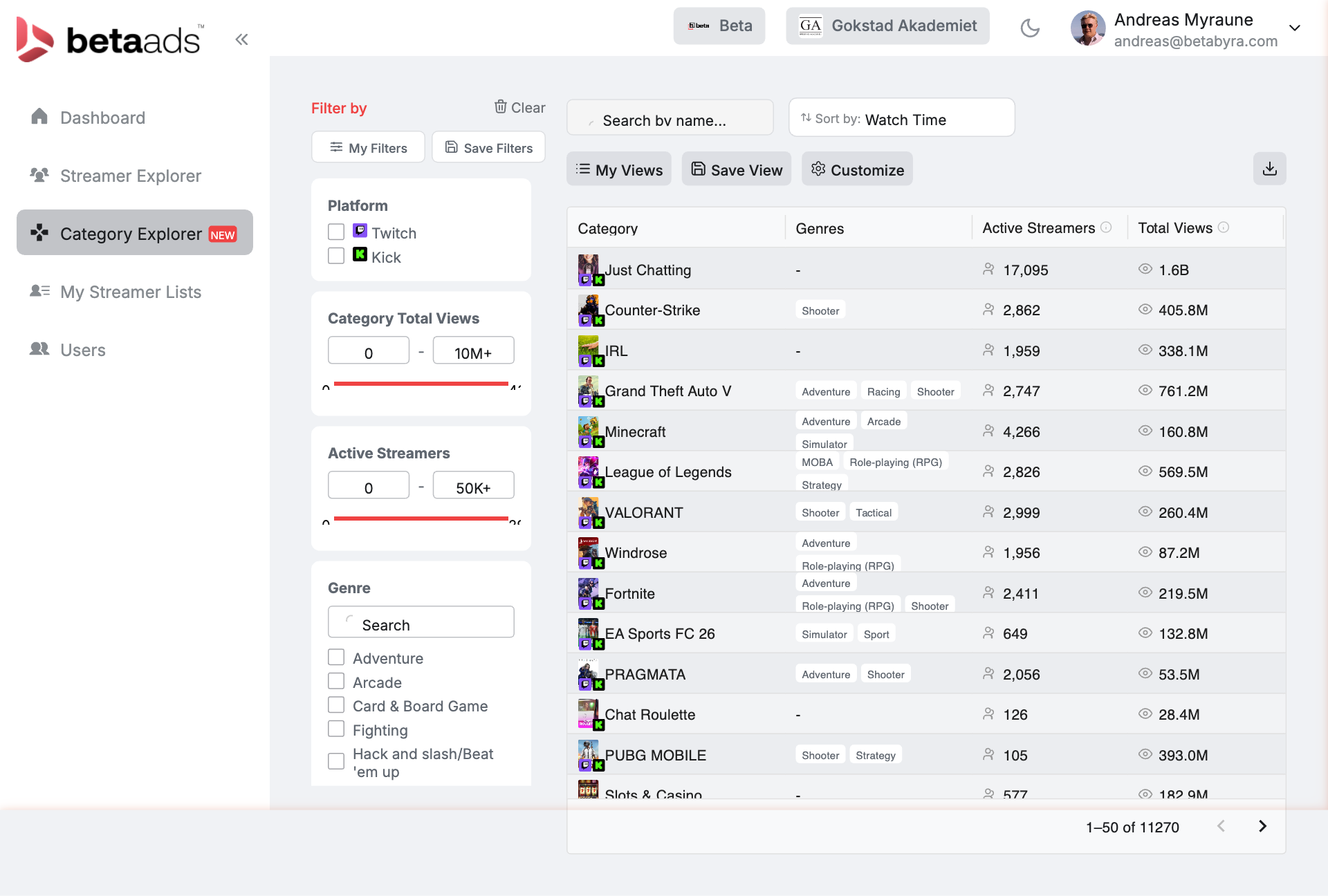
The answer is more nuanced than most media plans assume. Just Chatting has 17,095 active streamers and 1.6 billion total views. It's the single largest category on either platform. Counter-Strike has 2,862 active streamers with 405.8 million views and an average of 565 concurrent viewers per stream. League of Legends: 2,826 streamers, 569.5 million views. Fortnite: 2,411 streamers, 219.5 million views.
Filter by genre, platform, active streamer count, or total view volume. Build a category-first media plan: find the audience, then find the streamers who own it.
My Streamer Lists: Save Your Shortlists
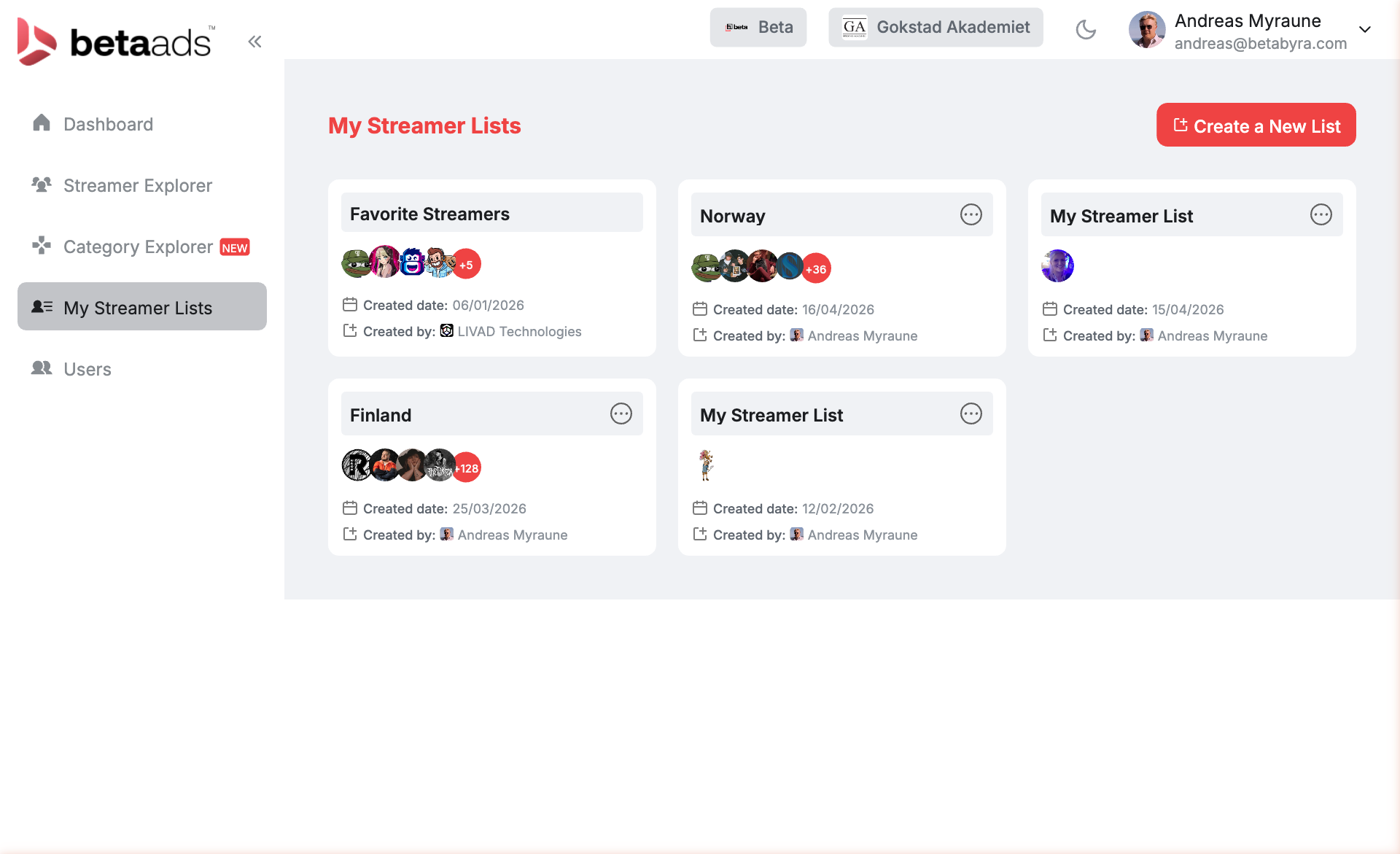
Once you have identified your categories and explored individual streamers, save them to named lists: Norway, Finland, Favourite Streamers, or any custom label. Lists persist across campaigns and can be shared with teammates or clients. No rebuilding shortlists from scratch every brief.
Ad Formats
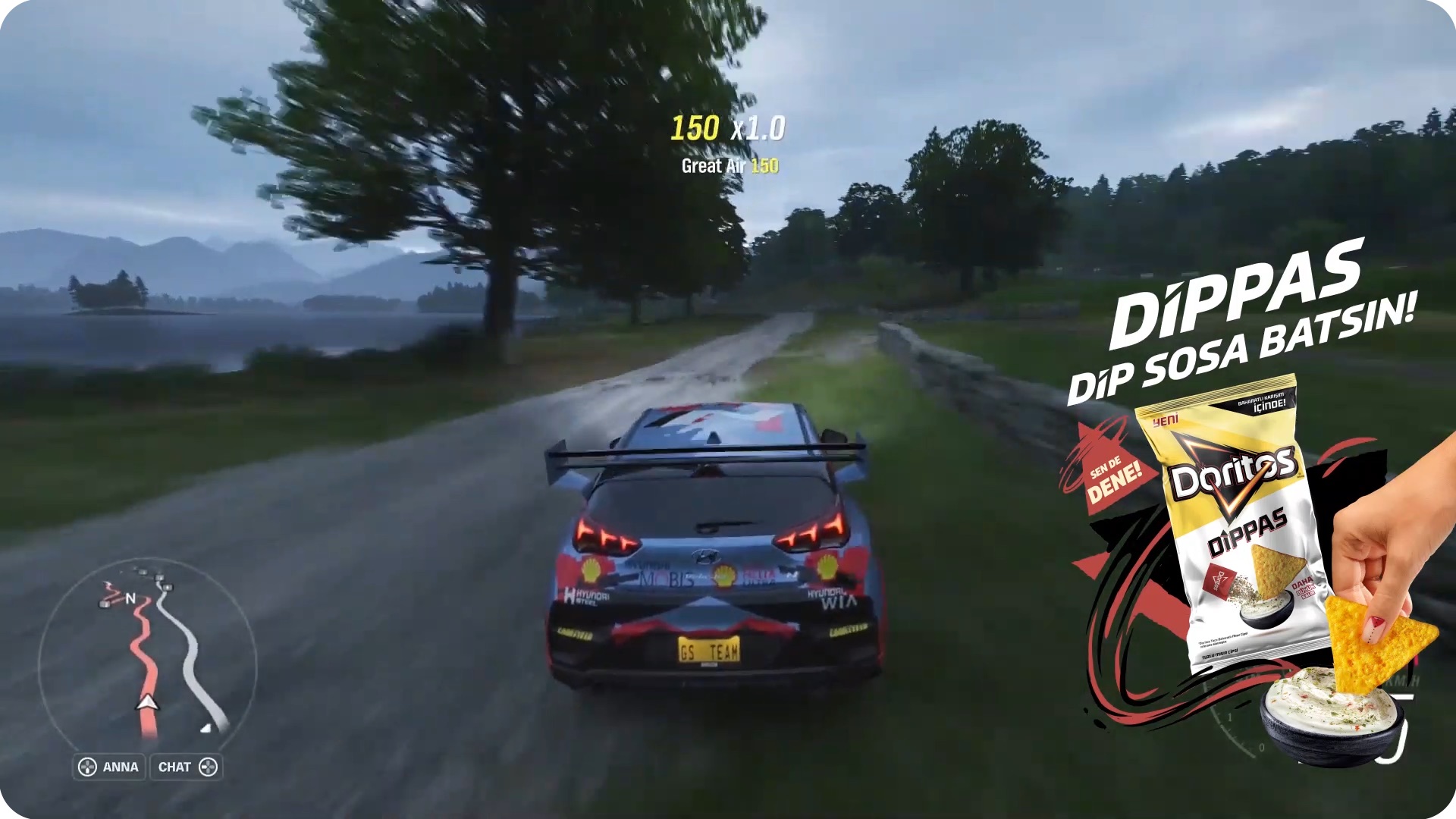
Five formats. Each renders directly inside the live stream. No pre-roll, no banner blindness, no ad blocker that catches it.
Snipe: a timed corner or bottom banner. Appears at a chosen moment during gameplay. Fastest to produce, lowest budget floor (from €3,500), and the right entry point for most brands testing the channel for the first time.
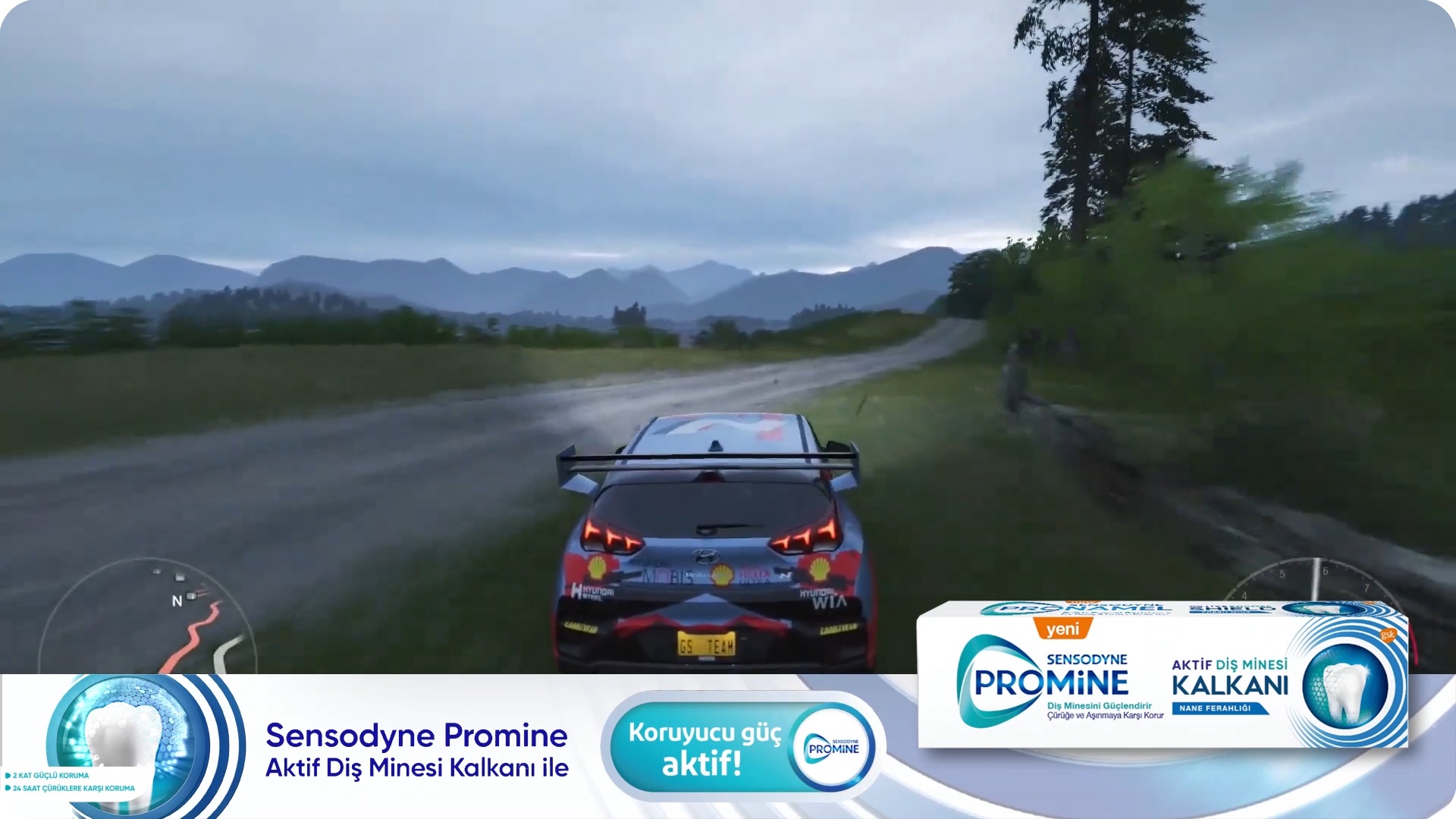
Rich Media: a full 1920×1080 animated overlay with images, video, and interactive elements rendered directly in the broadcast frame. The highest-impact format on the platform. Peak-day CTRs above 4% (Komplett reached 4.48%), with full-campaign averages around 1.2 to 1.5%. Minimum budget: €4,243.
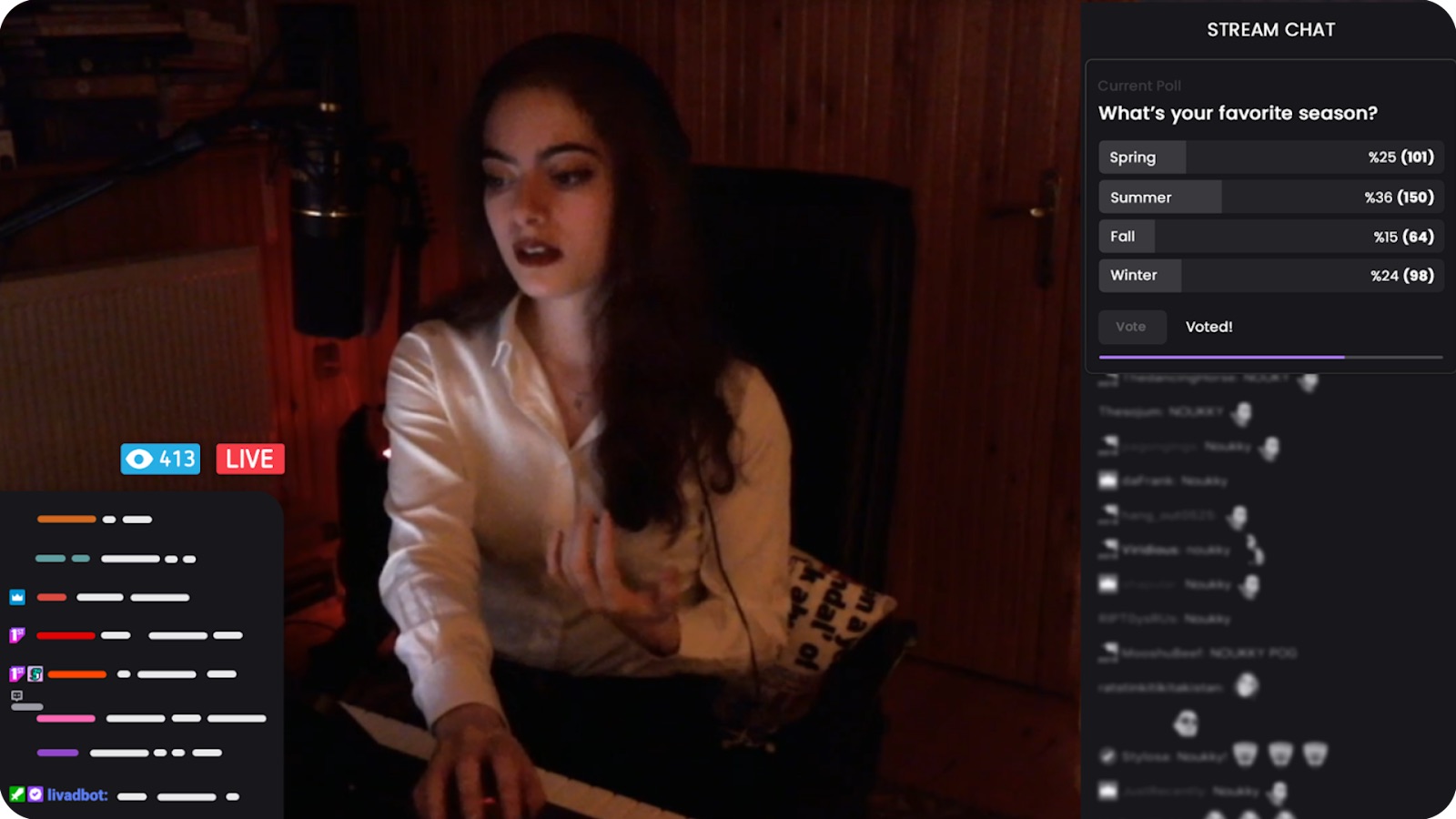
Poll: an interactive poll overlay. Viewers vote on branded questions in real time with results shown live. The engagement metric isn't CTR, it's participation rate, typically 3–8% of concurrent viewers. Best for brands that want active audience involvement rather than passive exposure.
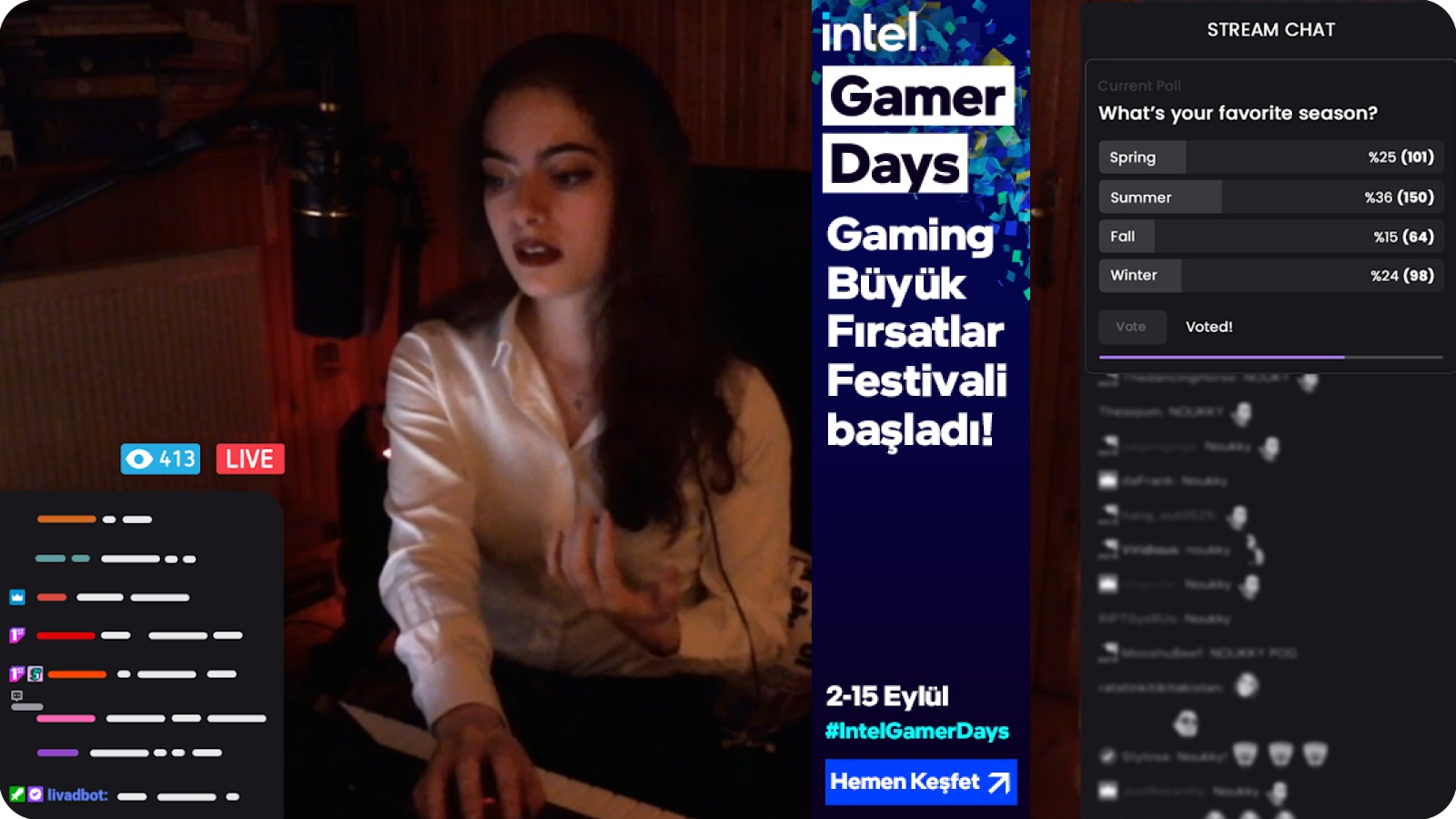
Interactive: the premium tier. A full overlay combining rich media with live chat integration, CTAs, and real-time participation elements. Minimum budget: €10,000. Best for product launches that need maximum audience engagement.
Chat CTA: a sponsored message pinned in stream chat. The streamer reads it aloud as a personal recommendation. Authentic, scripted by the brand, delivered by a creator the audience already trusts. From €3,500.
Campaign Builder: Five Steps from Brief to Live
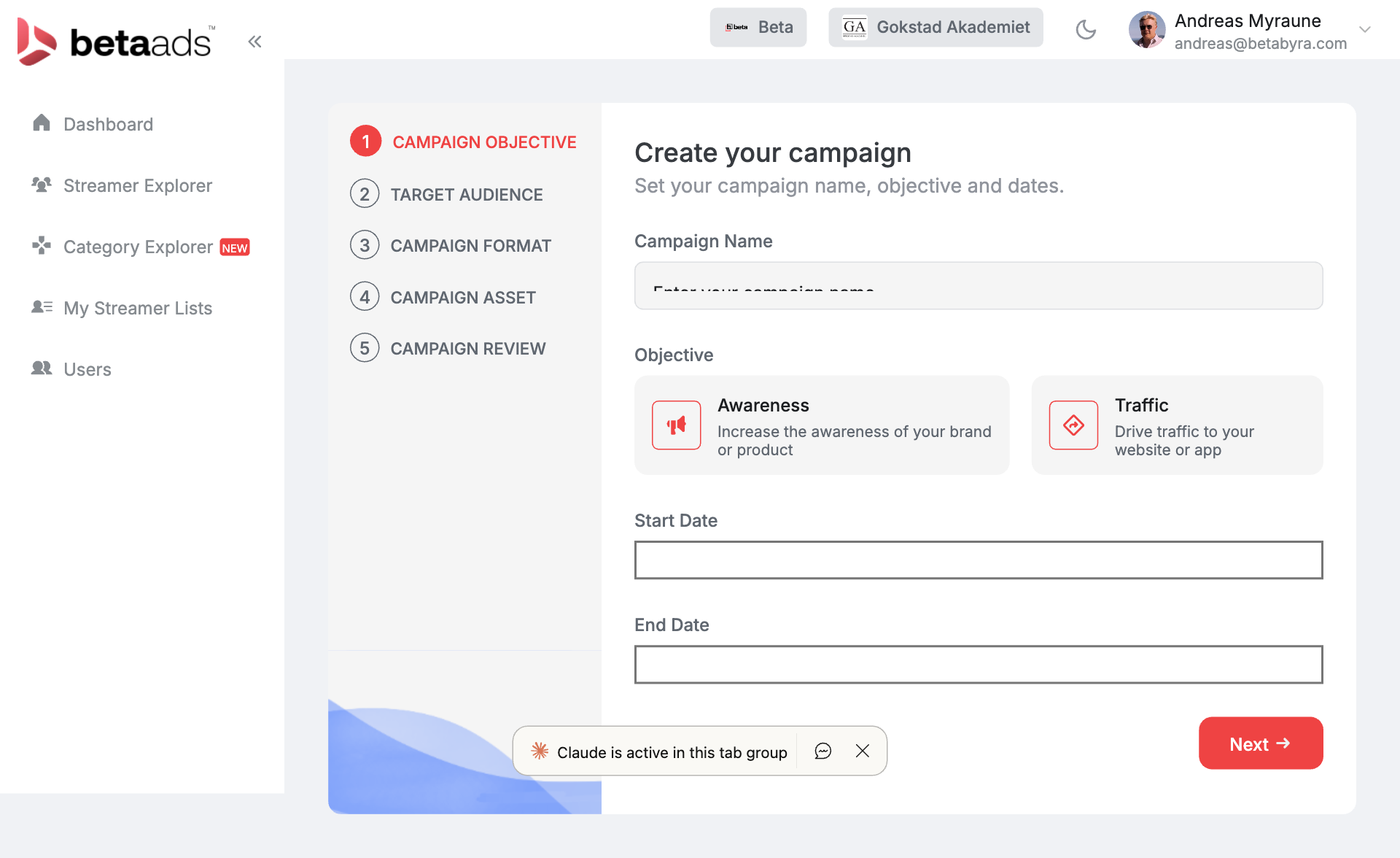
Campaign Objective: Awareness (maximise verified views) or Traffic (optimise for clicks). Both tracked with verified delivery. You pay for what's confirmed delivered, not what was scheduled.
Target Audience: Geography, language, platform, and content category targeting. Nordic brands typically run Norway, Sweden, and Finland together. Pan-European clients can run across 15+ markets simultaneously.
Campaign Format: Select from the formats above. Each has a different minimum budget, creative requirement, and expected CTR range. The platform shows a live preview of how your creative renders inside a stream before you submit.
Campaign Asset: Upload your creative: image for overlay ads, script for chat CTAs, video or brand guidelines for branded segments.
Campaign Review: Final check on targeting, format, budget, and schedule before submission. The campaign is matched to available streamers in your target market.
AI Clipping: Turn Every Stream into Social Content
The persistent problem with live stream campaigns: the content disappears when the stream ends. A viewer who wasn't watching live never sees it.
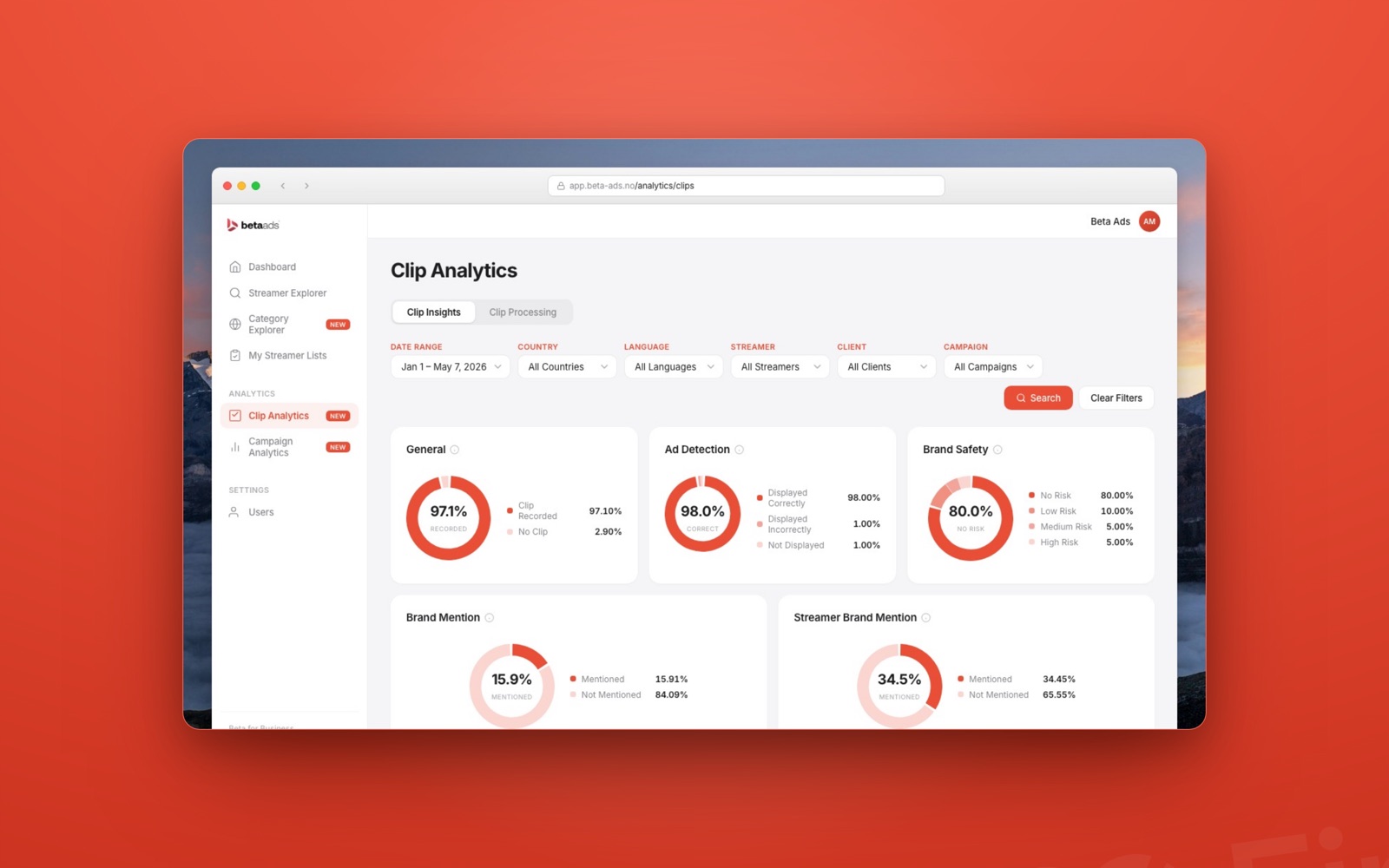
AI Clipping automatically identifies the highest-attention moments from sponsored streams: the segments where your brand got mentioned, the overlay got maximum exposure, or chat engagement spiked. These get packaged as short-form clips for Instagram Reels, TikTok, or YouTube Shorts, extending a live placement into owned and earned channels.
For brands already running clipping campaigns (see our guide to the clipping economy), this closes the loop between live streaming and short-form performance.
What the Numbers Look Like
Gokstad Akademiet ran a campaign through the platform from January to February 2026. Final numbers: 100,000+ verified views, ~1,200 clicks, 1.22% CTR, €4,260 total spend. Cost per hour watched: €7.51. Watch time generated: 567.2 hours. Chat brand mentions: 1,842, across 264 sponsored streams with 22 streamers.
A 1.16% CTR from a non-interruptive, non-skippable format running inside a live gaming stream is not a typical display number. It reflects an audience that is already engaged and has built a relationship with the streamer delivering the message.
How It Compares to the Alternatives
| Channel | Format | Skippable | Avg CTR | Viewability |
|---|---|---|---|---|
| Live streaming overlay | Native in-stream | No | 0.8–1.4% | ~100% |
| YouTube pre-roll | Video | Yes (after 5s) | 0.3–0.5% | ~80% |
| Display (programmatic) | Banner | N/A | 0.05–0.1% | ~50–60% |
| TikTok in-feed | Video | Yes | 0.5–1.0% | ~70% |
| Podcast mid-roll | Audio | No | 0.5–1.5% | ~85% |
Live streaming overlays are not skippable. They render into the stream frame. Viewers who are watching are watching. There is no below-the-fold problem and no ad blocker that catches them. The only comparable formats in terms of pure attention are podcast mid-rolls and direct sponsorships.
Getting Access
Beta Ads 2.0 is in active beta. Access is by application. If you manage campaigns for a brand active in Norway, Sweden, Finland, Denmark, or the broader European gaming and streaming market, you can request access through beta.business.livad.stream.
Brands we already work with have direct login access. Agency partners managing multiple brands get a multi-account view with separate campaign reporting per brand.
Action Items
- If you run campaigns for a Nordic brand: Apply for platform access and run Streamer Explorer with your target market and content category filters. The database is real data, not estimated audience.
- If you're already spending on display or pre-roll: Pull your last quarter's CTR and CPM. Compare against the Gokstad Akademiet numbers above. The math is usually uncomfortable.
- If you manage social content: Talk to whoever runs your media buying about AI Clipping. Live stream inventory and short-form social inventory are the same asset if you have the right clip workflow.
- If you're new to live streaming advertising: Start with Category Explorer. Find the two or three content categories that map to your target audience before you look at individual streamers.
Sources and Further Reading
- Dentsu's 2025 Gaming Trends Report: What It Actually Means for Nordic Twitch Advertising
- Inside Clip Analytics: How Beta Ads Verifies Every Ad Impression Across the Nordic Streaming Network
- How Twitch Advertising Works in 2026
- Gokstad Akademiet x Twitch: Campaign Case Study
- Twitch Statistics, TwitchTracker
- Creator Content Is Escaping Social Media: The $11 Billion Paid Amplification Shift Nordic Brands Should Understand